
Gadgetbridge: A FOSS alternative to your fitness watch’s app
 Putting a smart watch or band on your wrist means installing an app on your phone. That makes sense, given the tiny screens on these devices.
The problem is that these apps tend to do more than you’d expect. Huawei’s, for example, has a store for watch faces and AI-powered coaching and who knows what else it does behind the scenes. Apple’s (Fitness), one of the more low-key ones, reserves a prominent spot for the Fitness+ button, a paid subscription for access to recorded classes.
AI, by the way, has been spreading through the apps that pair with watches. (From here on, read “watches” as “watches and/or bands.”) The major companies in the industry have thrown their respective AIs into their health apps to make sense of the ton of data these watches collect and store on the phone. That they “hallucinate” seems to be treated as a mere detail — though it shouldn’t be.
There’s a way out (that I know of, at least) that doesn’t go through these official apps. And only if you have an Android phone. It’s Gadgetbridge.
I’d known about Gadgetbridge for quite a while. A free and open-source app, it’s an alternative to the manufacturers’ apps — or to some of them, anyway. They’re all diligently listed on the official site. As I write this, there are 612 devices supported, most of them saved from obsolescence by some code written with no commercial motive. Free software is beautiful, isn’t it?
Yes, it’s, but what about Gadgetbridge itself? I tested it for a few days paired with a Huawei Band 11, connected to a Moto G7 Play running LineageOS 22.2 (Android 16). It’s still at an “experimental” stage, which might explain the hiccups I ran into and describe below. Either way, the basics work and — as is common with Huawei devices — initial pairing with Gadgetbridge doesn’t require the official app.
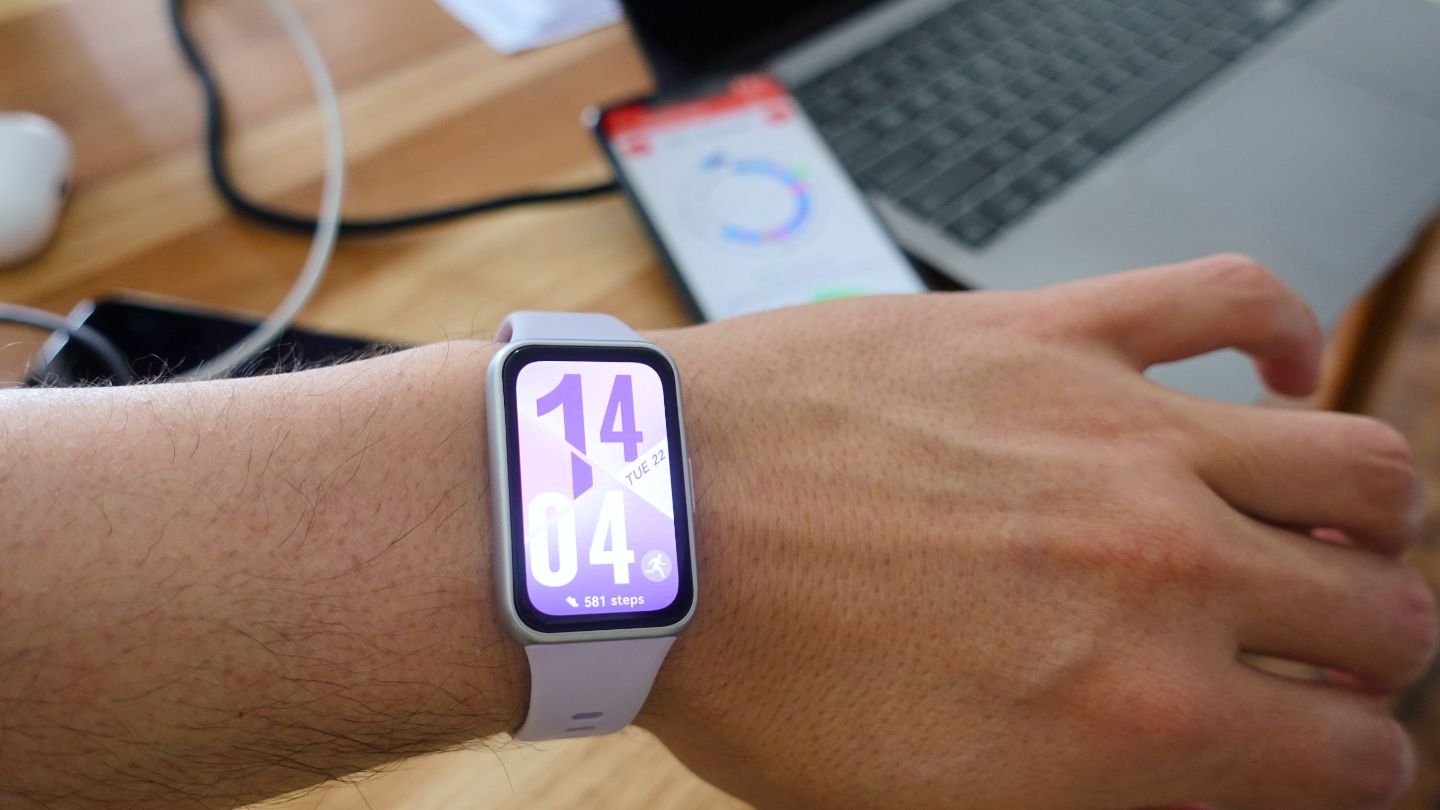
It’s nice not having to install Huawei’s bloated app. It would be better if pairing were smoother. I hit a few bumps getting the connection established (it only worked on the second try) and, afterward, turning on monitoring for some metrics, like the pulse oximeter (SpO2) and calorie burn. For calories, the watch only logged active calories, not the total, as Huawei’s app does. Gadgetbridge seems to estimate caloric expenditure based on data like age, weight, and height, and simply adds up the active calories logged on the watch.
VO2 max, which Huawei’s app only logs during aerobic activities — with Gadgetbridge, not even that. It’s a feature that, on this specific model at least, still doesn’t work.
Another thing you lose, partly, is easy access to new watch faces. Huawei’s store has thousands of them (though few are compatible with the Band 11’s new screen size), including some free ones. Gadgetbridge lists the native ones and lets you install others from files. Which ones? No idea. (You can also switch between the built-in faces right on the watch itself.) For anyone who likes to swap watch faces all the time, that’s a real setback.
I couldn’t get the calendar and weather forecast integrations to work. The remote camera shutter didn’t work either. The “find my device” feature worked when the watch was the one lost, but not when it was the phone’s turn. Only media controls (with the Oto Music app) and alarms worked as expected.
One last quirk I noticed: connection instability with the phone. It’s not really a big deal, unless you’re the scatterbrained type who’s always losing track of where you left your phone. What’s annoying is when Gadgetbridge claims to be connected to the watch when it isn’t, or when the connection is weak. One clue that this is happening is to check the watch’s remaining battery percentage under the “Devices” tab. If a question mark shows up instead of the percentage, the easiest fix is to manually disconnect and reconnect the band.
Many of these hiccups are probably explained by the Huawei Band 11’s experimental status in the project. Older watches — and therefore better tested — might fare better.
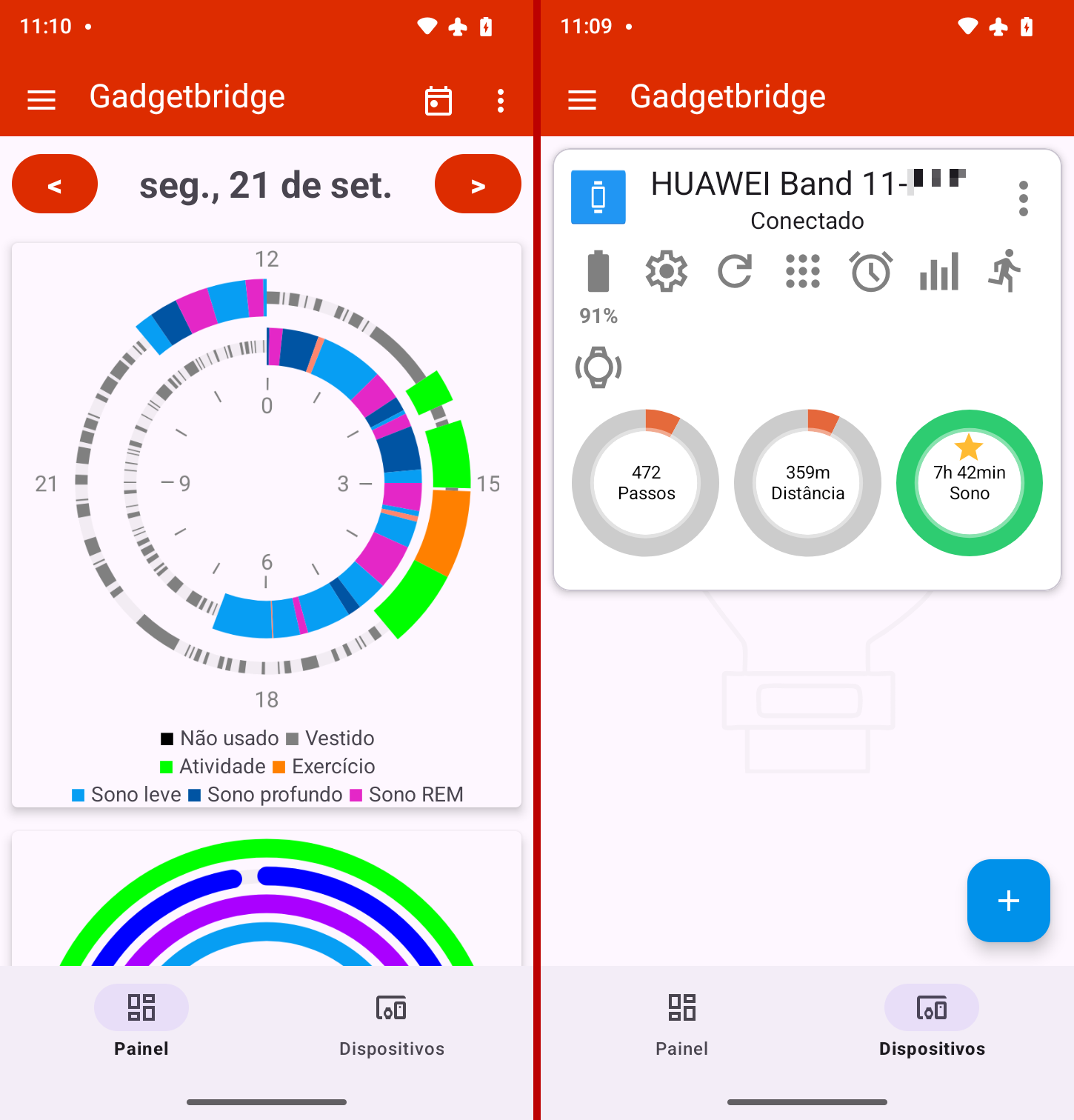
Taste is subjective, so I won’t call Gadgetbridge ugly. Next to Huawei’s official app, for instance, it strikes me as just as unattractive, only in a different way. What is true is that it’s simpler and more straightforward than any other one I’ve used, a distinction that’s likely to grow more pronounced in the new wave of AI-infused fitness apps.
The interface is split into two tabs: the dashboard, which shows various (customizable) health stats, and the devices tab, which lists the ones paired with the app.
The charts look like they came out of a spreadsheet made in LibreOffice back in 2010. That said, they get the job done, which is to offer an at-a-glance view of the day. I really like the first one, something I hadn’t seen before: a double arc that combines physical activity and sleep over a full day.
There are lots of settings, split across two separate places: general app settings in the hamburger menu, and settings related to the paired watch under the “Devices” tab. That maze-like arrangement got me lost a few times trying to find one setting or another, especially the device-specific ones, which don’t have an internal search.
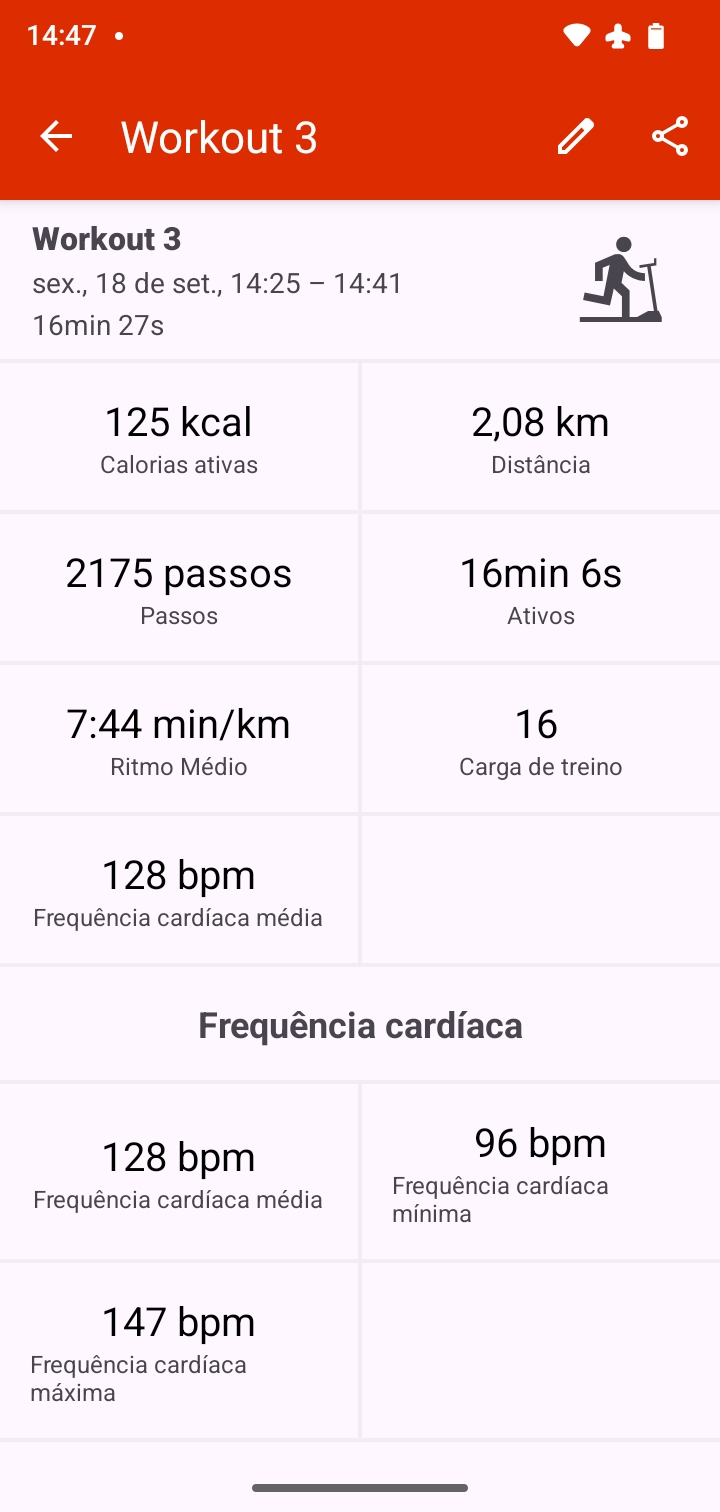
The workout breakdown follows the app’s overall tone, meaning: bare-bones visuals and basic metrics, about what someone who isn’t (or doesn’t fool themselves) an athlete needs on hand. Which doesn’t mean it’s lacking. Aerobic workout reports are quite detailed. I found them easier to read than Apple’s and Huawei’s, simply because they gather all the data, including heart rate zones and pace, on the same screen, without making me guess where to find things. (It took me an embarrassingly long time to figure out where the heart rate zones are hiding in Apple Fitness.)
Gadgetbridge won’t win any design or usability awards, but I found it capable for what it sets out to do and for how I use it. As already mentioned, my use of these watches is modest: timer, heart rate during aerobic exercise, and… well, checking the time. People who are more demanding, or who enjoy crunching through the data these things generate (or having an AI do it for them), might be disappointed by the app’s bare-bones approach. For them, the manufacturer’s own app, or a third-party one that processes the data in more depth, is a better fit.
One important detail: Gadgetbridge isn’t distributed on the Google Play Store. You need another app store on your phone, F-Droid, and to download it from there. It’s worth having F-Droid around; as far as I’m concerned, F-Droid — which only host FOSS apps — is the ideal app store.