
What’s on your phone, Edson?
Editor's note: Every week, I publish the phone's home screen from a blog reader. Want to participate? Fill out this form. Want more? Check out the archive. All app links go to the App Store, Play Store, or F-Droid.
What is your name and what do you do?
My name is Edson, I’m 28 years old, I’m a clinical and educational psychologist, and I’m in the final stretch of my PhD in education (phew!). I first came across the Manual many years ago, landing from a Google search on one post or another, until it became one of my favorite corners of the web. Since then, it has never left my bookmarks.
What phone and operating system do you use?
Galaxy A56 5G.
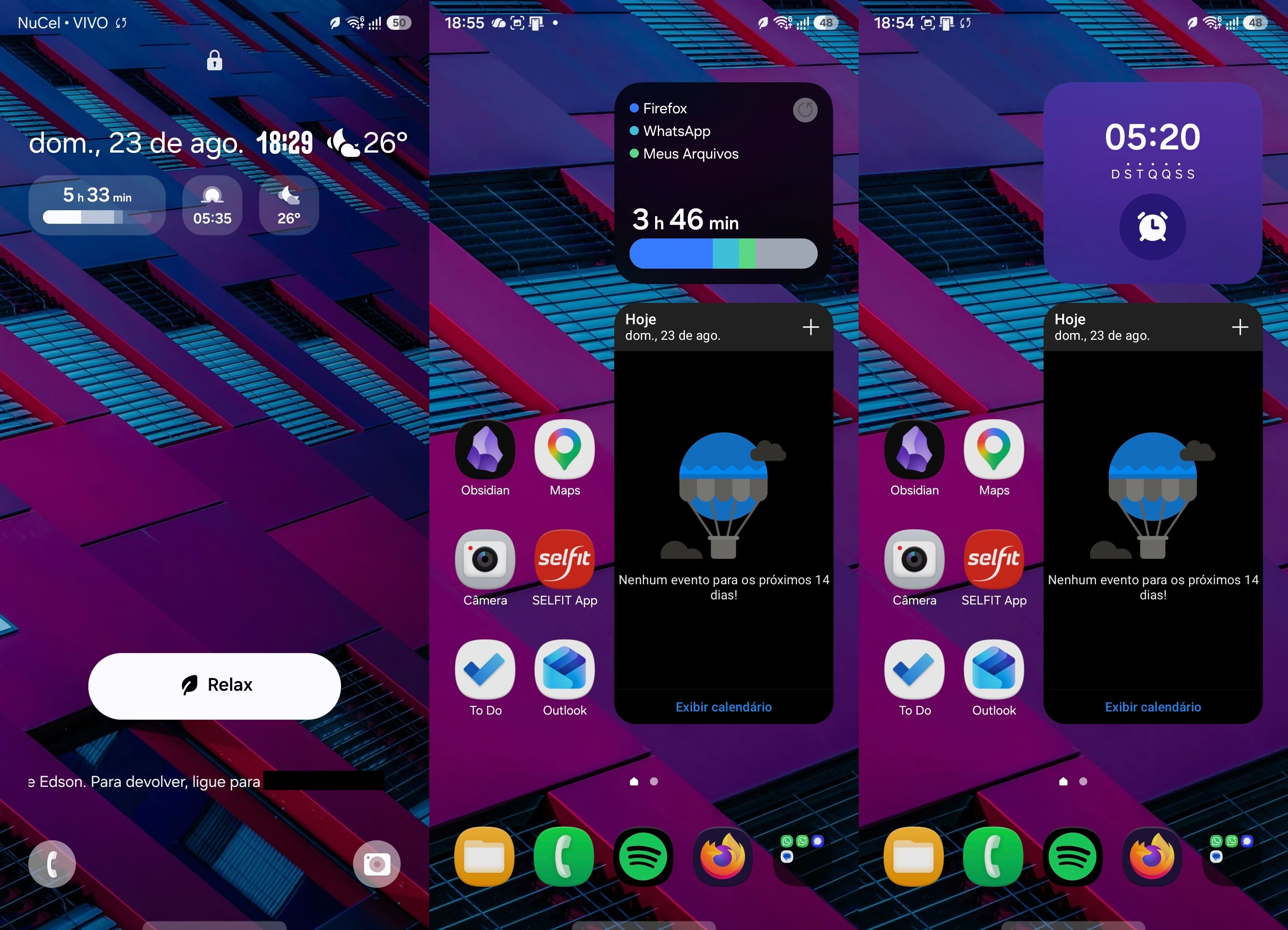
Tell us a bit about your wallpaper.
I usually hunt for wallpapers on Unsplash and save them into “themed” folders. This one, a purple wall with glass reflecting blue, is part of one of those little collections. I normally prefer cozier images, but things started looking cluttered when I decided to condense my icons into fewer screens, so this time I made up for it with a cleaner background image.
Why is your home screen the way it is?
I think a home screen works well when it shows me the information I need and saves me from having to hunt for an app, so mine basically has two kinds of things: widgets that spare me from opening an app, and apps I usually need to open quickly. For example, if I had to search for Obsidian to jot down a quick note, that could be a problem depending on the moment, so it’s right there, always at hand.
Tell us a bit about the widgets you use.
Whenever I could, I’ve kept a calendar widget on my home screen, because I find it really handy. Lately I’ve been using Outlook to manage my emails, so I’ve been using its widget, but it’s certainly not the best. Samsung and Google do a much better job, making the information far more visible and colorful, but installing apps just for that seemed like an unnecessary redundancy.
Two nice discoveries here were the alarm widget and the digital well-being widget. About the alarm: I always keep a “daily alarm,” to wake up, and a “free alarm,” to remind me of something important, like food in the oven. As for the so-called digital well-being, I found that seeing my screen time right when I unlock the phone really helped me curb the doomscrolling (more than timers, in fact).
Which apps do you use the most?
Definitely WhatsApp, Firefox, and Spotify. The explanation could be the same for all three: they’re simply unavoidable, haha.
WhatsApp because it’s the new Telephone, Firefox because it’s my browser and I still spend a lot of time on the web, and Spotify because I’ve unlearned how to do chores without something playing in the background (I don’t consider it a problem, but I’m not always at peace with it).
What’s the most obscure, weird, and/or surprising app you use that you’d like more people to know about?
I’d say ReadEra. It’s been with me since my undergrad days, when I had a really hard time reading *.pdf files on my small phone and needed, at the very least, an interface that would get out of the way. The habit with the app stuck.
I call it obscure/weird because I don’t see many people talking about it out there, but I just noticed that, according to the Play Store, it has over 50 million users.
Bonus mentions: AntennaPod (born out of my fear of losing my podcasts to Spotify one of these days) and Aves (a great open-source gallery) have also been long-time companions.
Finally, any parting words?
The game of cutting down screen time, or of rising up against big tech, isn’t only about organizing your digital life, or about choosing tools built more ethically. At some point, there’s nothing left to see, tweak, or improve in here — and the point is to look out there, if you still can.