Blocking of unverified apps on Android starts in Brazil and other three countries

Google’s new arrangement for installing unverified apps on Android takes effect this Thursday (Oct. 1st) here in Brazil.

Indonesia, Singapore, and Thailand are also among the first countries to be affected.

F-Droid and other free and/or Google-independent initiatives have been raising a ruckus over the changes. They are, indeed, an extra hurdle for apps distributed without Google’s blessing. Verifying an app means identifying yourself to Google, which — understandably — many developers don’t want to do.

Heads-up! In July, Google announced that the first phase, running from now through 2027, will only affect apps distributed through specific stores: its own Play Store, Honor, Oppo, Samsung, Transsion, Vivo/Jovi, and Xiaomi. In other words, F-Droid got a breather until 2027. What a mess!

I covered the story [pt_BR] here at Manual before Google unveiled the so-called “advanced flow” for enabling the phone to install unverified apps. The flow, as per Google, works like this:

  • Enable developer mode in system settings. Activating this is simple. This prevents accidental triggers or “one-tap” bypasses often used in high-pressure scams.
  • Restart your phone and reauthenticate. This cuts off any remote access or active phone calls a scammer might be using to watch what you’re doing.
  • Come back after the protective waiting period and verify. There is a one-time, one-day wait and then you can confirm that this is really you who’s making this change with our biometric authentication (fingerprint or face unlock) or device PIN. Scammers rely on manufactured urgency, so this breaks their spell and gives you time to think.
  • Install apps. Once you confirm you understand the risks, you’re all set to install apps from unverified developers, with the option of enabling for 7 days or indefinitely. For safety, you’ll still see a warning that the app is from an unverified developer, but you can just tap “Install Anyway.”

I’ll play devil’s advocate here and say… this seems like a good measure? I know that in an ideal world (or for those who live and breathe tech) the phone is yours and you do whatever you want with it, but in the real world there are millions of elderly people, people with low literacy, teenagers, and people who simply have better things to do, all left at the mercy of scammers all day, every day.

It’s worth noting that this arrangement only applies to phones running Google-certified Android. On alternative systems without Google’s underpinnings, such as LineageOS (without microG), GrapheneOS, and HarmonyOS (Huawei’s), nothing changes.

For those who know what they’re doing, the “advanced flow” only needs to be done once. Its effects even carry over to new phones.

Coincidentally, the start of Android’s app verification coincides with Brazil’s ban on online gambling, enacted by the Lula administration through a provisional measure (an executive order with the force of law) last Friday (25th). The extra difficulty in installing unverified apps may help defend against illegal betting apps, as long as they aren’t verified with Google — which isn’t the case for operators that were licensed in the country.

Gadgetbridge: A FOSS alternative to your fitness watch’s app

Putting a smart watch or band on your wrist means installing an app on your phone. That makes sense, given the tiny screens on these devices.
The problem is that these apps tend to do more than you’d expect. Huawei’s, for example, has a store for watch faces and AI-powered coaching and who knows what else it does behind the scenes. Apple’s (Fitness), one of the more low-key ones, reserves a prominent spot for the Fitness+ button, a paid subscription for access to recorded classes.

AI, by the way, has been spreading through the apps that pair with watches. (From here on, read “watches” as “watches and/or bands.”) The major companies in the industry have thrown their respective AIs into their health apps to make sense of the ton of data these watches collect and store on the phone. That they “hallucinate” seems to be treated as a mere detail — though it shouldn’t be.

There’s a way out (that I know of, at least) that doesn’t go through these official apps. And only if you have an Android phone. It’s Gadgetbridge.

(more…)

Sharing between Pixel devices is now just a tap away 
blog.google

Android has picked up that iPhone feature of tapping two phones together to share files and contacts via AirDrop. (In Google’s case, obviously, it’s through Quick Share.)

The only downside is that the rollout is uneven. Already available on the Pixel 6 and later, “coming soon” for the Galaxy Z Fold 8 Ultra, Fold 8, and Flip 8, with more phones (which ones?) by the end of the year.

LineageOS now has a web installer

LineageOS now has a web installer. The project warns, however, that it doesn’t handle the entire process, and that you’ll still need to follow the instructions on your device’s wiki. Even so, it should make things considerably easier during those major yearly updates. In the same announcement, they report that work on LineageOS 24 — based on Android 17 — is “progressing nicely”.

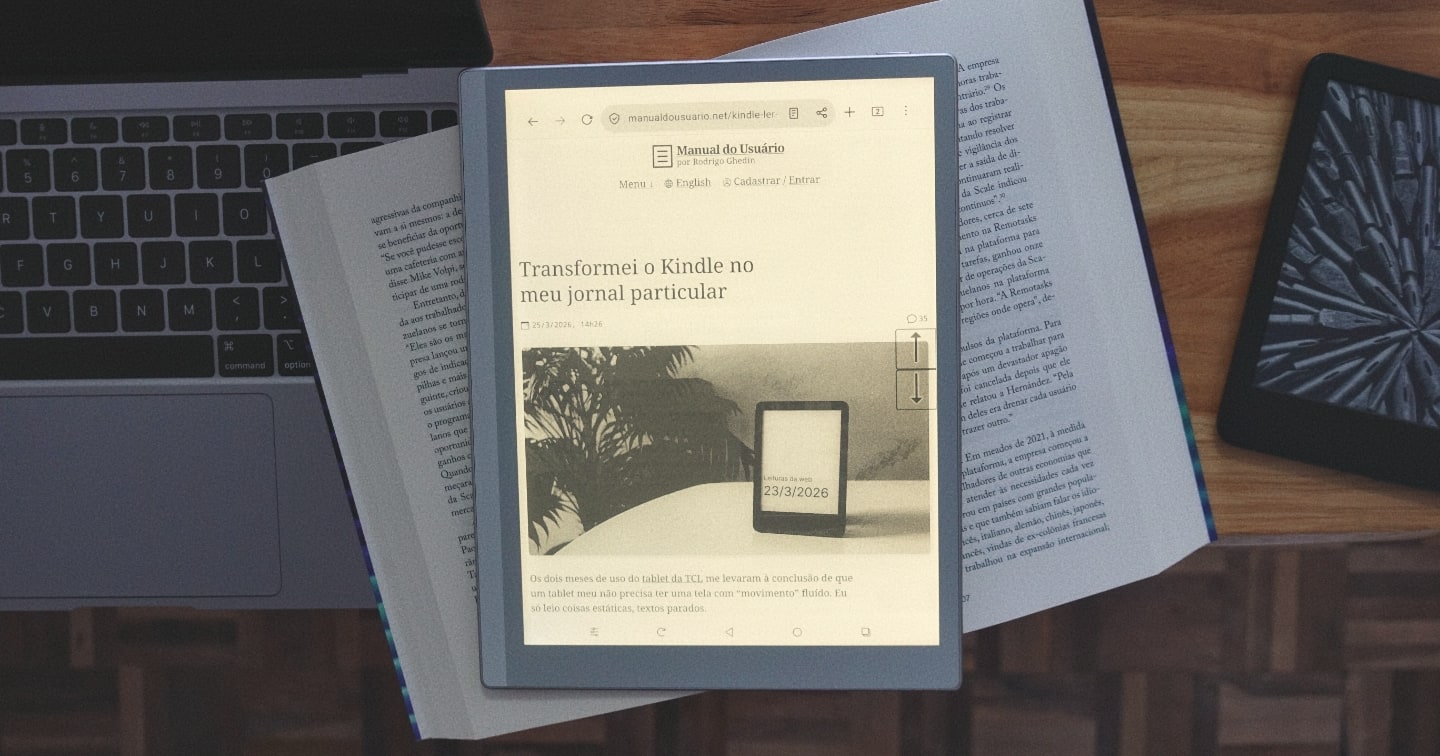
TCL’s Nxtpaper 4.0 screen: A review

Foto de cima do Tablet 11 gen. 2 da TCL, com o Olauncher em exibição.

When we buy an electronic device, the normal thing (I want to believe) is to choose the most balanced model within the price range available to the purchase.

Let's take a phone as an example. There's no point in having the best camera in the world if the system crashes or the battery can't keep up with your routine. Or a computer that has a wonderful keyboard but a terrible screen.

Last December, I bought a tablet just because of its screen. The other specifications? I didn't even look at them. I wanted to see with my own eyes that screen, promised by the manufacturer as almost magical, combining the visual comfort of E-Ink screens with the speed and smoothness of LCD.

Today, I'll talk about it: TCL's Nxtpaper Tablet 11 gen. 2 and its Nxtpaper 4.0 screen.

(more…)

This app alerts you when it detects Meta camera glasses nearby

With the success of Meta's camera glasses, there is now a risk of being recorded without consent or knowledge and ending up exposed in a crude video on TikTok or Instagram.

The manufacturers claim that a subtle light on the frame indicates when they are filming. It is not always easy to see the light, and anyway it is trivial to disable it.

(more…)

Nova Launcher now has advertising trackers from Google and Meta

The new version of Nova Launcher, a popular launcher for Android, brought an unwanted new feature: advertising trackers from Meta and Google. On Exodus, a non-profit app auditing platform, you can see the changes from the previous version (8.1.6) to the new one (8.2.4).

Nova Launcher was purchased by Sweden's Instabridge a few months after the launcher's creator left Branch, the company that bought the app in 2022 and promised to open its code — which never happened. Instabridge has confirmed that it is testing ads in Nova Launcher and that it will not display ads to those who have Nova Prime (paid version).

Oto Music, the best mp3 player for Android

If you plan to listen to music files like I do, but your phone is an Android, Oto Music is the best option I've found for this OS.

Oto Music's proposal is to adhere to Android conventions. Hence its look is well integrated with the Google OS, its support for Chromecast standard, and beautiful widgets. And, of course, all the features you would expect from a music player.

The attention to detail by Piyush Mamidwar, the app's creator, is noticeable. This is evident in the app's small size, only 5 MB. How can so much fit inside!?

Oto Music has some of the highlights of Doppi, my choice for iOS, such as an equalizer and synchronized lyrics search. And it goes further: it has a sleep timer and a powerful metadata editor.

It's free, available on the Play Store, with a one-time purchase that unlocks some extra features, such as support for multiple artists and genres in one song, various visual customizations, and a 10-band equalizer. (I just couldn’t fine the price. Can anyone see it?)

Sideloading is fundamental to Android and it is not going away. Our new developer identity requirements are designed to protect users and developers from bad actors, not to limit choice. We want to make sure that if you download an app, it’s truly from the developer it claims to be published from, regardless of where you get the app. Verified developers will have the same freedom to distribute their apps directly to users through sideloading or through any app store they prefer.

You’re going to use Gemini on Android whether you like it or not

Google sent an email to Android phone owners warning that Gemini “will soon be able to help you use Phone, Messages, WhatsApp, and Utilities on your phone, whether your Gemini Apps Activity is on or off.” The change is scheduled for July 7th.

The notice generated confusion even in Android-focused publications. — 9to5Google, Android Police, Android Authority. Even after clarifications, including a statement from Google itself, the whole thing remains… confusing.

From what I understand, if Gemini Apps Activity is disabled, Gemini will continue to be available and have access to the mentioned apps, including WhatsApp and Phone. The difference is that interactions with the AI won’t be recorded in the history and will be stored by Google for up to 72 hours, with the guarantee that they won’t be used to train AIs or reviewed by humans.

(In other words, leaving history enabled subjects interactions to AI training and reviews by other humans.)

Those who *really* don’t want Gemini meddling with calls, messages, WhatsApp, and system settings need to disable integrations with each app within the Gemini app itself. Which seems to be another thing, different from Gemini Apps Activity. I presume it’s this app.

The aforementioned specialized publications, after updating their stories to “clear up the confusion,” concluded that the net result of the change is positive for people’s privacy. I’m not so sure about that. Confusions of this type, which sound intentional and try to hide the “nuclear” toggles (that disable the offered feature), tend to be defeats for privacy. And I won’t even get into the merits of whether Gemini snooping through my messages is good or bad.

Or maybe I still don’t understand it properly.

Related link (I think?): the extensive Gemini Apps privacy center.