
What’s on your phone, Felipe?
Editor's note: Every week, I publish the phone's home screen from a blog reader. Want to participate? Fill out this form. Want more? Check out the archive. All app links go to the App Store, Play Store, or F-Droid.
What is your name and what do you do?
Felipe Siles. I’m an art educator and audiovisual producer, a doctoral candidate in Musicology at University of São Paulo (USP), and I live in the Campinas (SP) area.
I’m not a tech professional, just an enthusiast of free software and open source — and a very enthusiastic one at that, since I’m part of two collectives dedicated to this cause: Ayom, which hosts free digital tools (Mastodon, Lemmy, Radicale, and WriteFreely), and Audio e Software Livre, a mutual support group for audio production on Linux and free software in general.
What phone and operating system do you use?
Moto E14, Android 14.
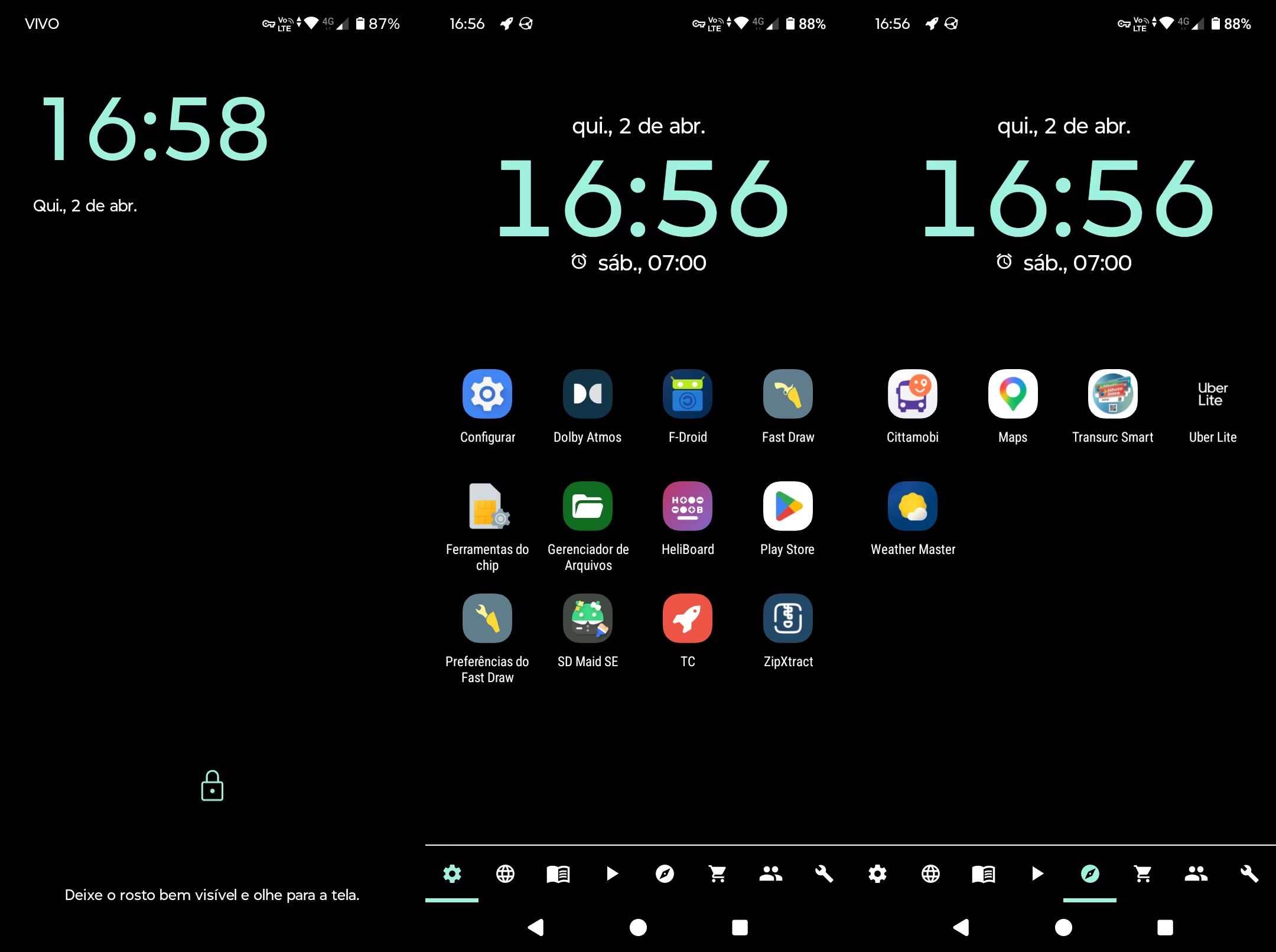
Tell us a little about your wallpaper.
I change my wallpaper every now and then, but since I’m in the process of reducing the role of my phone in my daily life, I’ve kept it plain black for a while now — pretty boring — so it serves as a tool rather than a distraction.
Why is your home screen the way it is?
I like to try out different launchers, since I find the one pre-installed on Android simply dreadful. I currently use Fast Draw, a free and open-source app, which has this very minimalist and somewhat plain look. The idea is to be very practical and functional.
I like my apps organized by categories, since I’m not an app hoarder — anything I don’t use in my daily life gets uninstalled. The apps on my phone are ones I actually use, so I like to be able to access them easily.
Fast Draw also has a very useful feature: creating a hidden tab where you can hide more sensitive apps.
Tell us a little about the widgets you use.
I only use basic calendar and clock widgets. I don’t like using too many widgets; I think they make the screen look cluttered.
Which apps do you use the most?
Most of the time, I use my phone to listen to podcasts and music. When I’m at home, I do this during meals and while doing chores, and when I’m out and about, during my commutes on public transportation. My two favorites are AntennaPod, where I use Sintoniza from the PC do Manual to sync my favorite podcasts and history, and VLC, which I use to listen to music and web radio.
I also use Syncthing to send music from my PC to my phone, as well as to sync photos, documents, etc. Since I take the bus a lot, I also use maps and transit apps frequently.
I try to avoid checking messages on my phone as much as possible. Whenever possible, I prefer to leave that task for my computer.
What’s the most obscure, strange, and/or surprising app you use that you’d like more people to know about?
Lately, I’ve been fascinated by the idea of keeping devices offline, and I’ve really enjoyed researching and discovering apps that download content from the internet so it’s available even when you’re offline.
In that regard, I highly recommend Kiwix. It can download all of Wikipedia’s content as well as content from other interesting websites. It offers many possibilities:
- Download the entire Wikipedia to your device.
- Download without images for those who want to save storage space.
- Download specific collections—there are several very interesting ones where you can download only the entries on a topic of your interest.
I really like this idea of working offline most of the time and syncing our devices only at specific moments. Not that this is my reality right now, but it doesn’t hurt to dream and gradually build that dream.
Finally, any message?
I would really like most people to have access to information on how to “debloat” their phones and remove the pre-installed apps they don’t use. I think it would greatly extend the lifespan of the devices and give people more control over them.